Hospitals spend millions on Workday, Oracle, and GHX. These platforms are great at finding invoice match exceptions. They scan purchase orders, invoices, and receipts. They flag discrepancies. They tell you exactly where the problem is.
And then nothing happens. Crickets.
That gap between finding a problem and actually fixing it is costing hospitals millions of dollars every year. Here's what it looks like:

Supplier invoices routinely exceed purchase order pricing by up to 170%. Managing match exceptions is time consuming, inconsistent, and requires hours of manual work. The tools hospitals trust most aren't designed to close the loop.
The Real Problem Isn't Identification. It's What Comes Next.
Matt Arsenault, CFO at Baptist Health South Florida put it plainly in a recent webinar about how they saved $2.9 million in their supply chain: "Those tools are great at your books and records. They tell you what happened, even where there's an issue. But they're really bad at handling work in progress."
When a match exception surfaces, where does the work actually go? For most hospitals, the answer is Outlook. Or Excel. Sometimes both.
There's no audit trail. No central visibility. No accountability. AP teams are chasing emails across departments that don't even sit in the same part of the building, let alone the same system. The most significant time delays often come from chasing down a chain of contacts to identify the person who can actually resolve the issue.
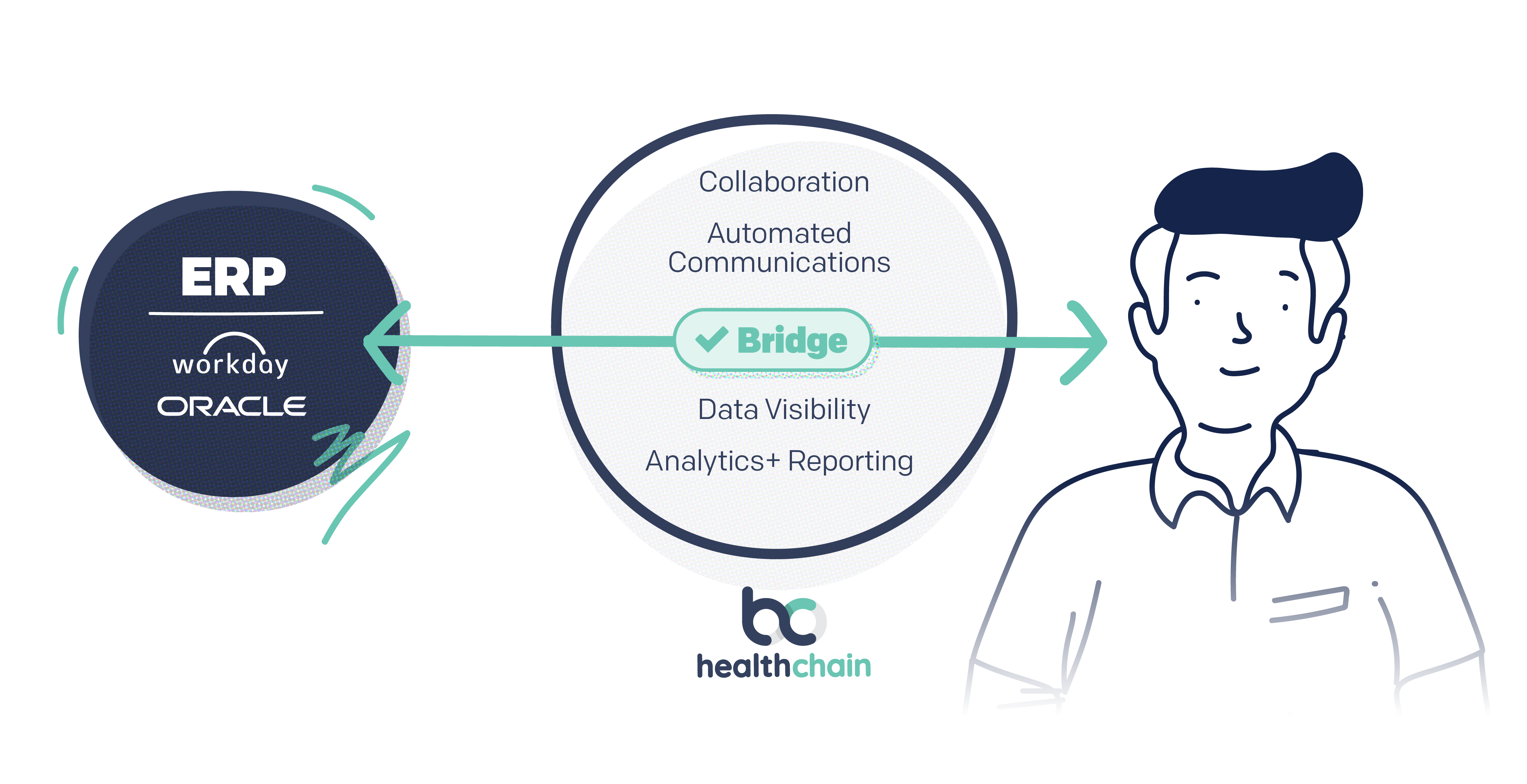
Matt described it well: "There's gotta be that bridge between the ERP and the work in process. It needs to handle two-way communication that an ERP isn't designed to do. The ERP is good at the 'what.' The communication piece is the 'how.' We need to connect both."
That missing bridge is where the revenue margin leaks.
The Fix: Automated Communication Built Around Resolution
The solution isn't a new ERP. It's a communication layer that sits between your existing systems and your workforce, one that takes the exception data your ERP surfaces and automatically gets it to the right person with the right context and a clear action.
That's exactly what Baptist Health South Florida is doing with HealthChain, an automated invoice exception resolution platform built on Salesforce Service Cloud.
Salesforce Service Cloud's artificial intelligence, declarative workflows, and queue management capabilities can be configured to diagnose, trigger workflows, and automate case closure on match exceptions. Here's how it works in practice.
Automated Identification
A flow runs continuously, monitoring purchase orders, invoices, and receipts. When exceptions are discovered, a case is automatically created and the resolution process begins, no manual identification required.
Smart Assignment
Once a match exception is identified, cases are added to queues. Assignment is automated by a process that analyzes case type and workload to ensure cases are handled by the resources best equipped to resolve them. Managers get real-time visibility into every clerk's queue so bottlenecks don't hide.
Automated Communication
This is the part that matters most. Once a case is assigned, the system sends a pre-built email to exactly the right person, whether that's someone on your AP team, your supply chain team, or the vendor. By leveraging ERP data, each email includes a call to action aimed at lowering response time.
Matt described it like this: "It takes complex ERP data and spoon-feeds it to the exact person responsible for fixing it. Automated email: here's the issue, here's the specific contract, the invoice number, and what you need to do to fix it."
Closed-Loop Resolution
Once the fix is identified and the right party takes action, the correction feeds automatically back into the ERP. The case is closed. No manual data entry. No chasing.
What Good Communication Actually Looks Like
Getting the communication right matters as much as automating it. Communication should be triggered based on specific events related to invoice exceptions, including flags that cause an exception to be identified and the typical resolution cycle regarding information sharing and confirmations.
When drafting templates for effective resolution emails, start with a clear subject line, state what is happening, make an actionable request, and set a deadline. Bold the deadline. Make it impossible to miss.
The goal is to help vendors immediately see what's required for the next step, eliminating days, weeks, or months of waiting for a response. The difference between a good resolution email and a bad one can be weeks of back-and-forth.
Some exceptions require escalation to a manager or supervisor with the authority and skills to handle the situation. A two-tier escalation system can assign priority automatically, escalating first to an agent supervisor and then to a manager.
And as Matt noted, not every match exception is the same. Corresponding communication templates can be added as new and repeatable responses are developed, optimizing for new suppliers, routines, orders, and systems when an exception occurs again.
The Results
When Baptist Health South Florida bridged the gap between their ERP and work in progress, it was night and day.
- Match exception resolution was 6x faster
- Invoice overcharge rates fell from 4% to 1%
- Resolution speed improved by 6x
- $2.9 Million saved on overcharges
The Bottom Line
Your ERP is doing its job. It's finding the exceptions. The problem is everything that happens next is executed in a cluttered Outlook inbox or out-of-date Excel spreadsheet.
The fix? Automated communication between the ERP and your workforce.
Baptist Health (and our other clients) proved it works. In fact, check out how they saved $2.9 million in the supply chain here. The only question is how much longer supply chain leaders in healthcare want to leave that money on the table. Your margins are waiting.
Learn More
Stop Chasing Exceptions. Start Closing Them.
HealthChain automates the communication that resolves invoice match exceptions faster, with less manual work and fewer overcharges.
Learn More →
About The Author
Drew Thornsberry is Penrod's Chief Revenue Officer and one of the most experienced Salesforce consulting leaders in healthcare and life sciences. Over the past eight-plus years, Drew has built and grown Salesforce consultancies from the ground up, including establishing practices in Chicago, Irvine, and Atlanta before joining Penrod. At Penrod, he has helped grow the company from a generalized Salesforce partner into a focused healthcare and life sciences consulting agency serving clients across North America.

Drew Thornsberry
Chief Revenue Officer